Posts

Showing posts with the label week34

2021: Week 34 - Excelling with lookups
Image
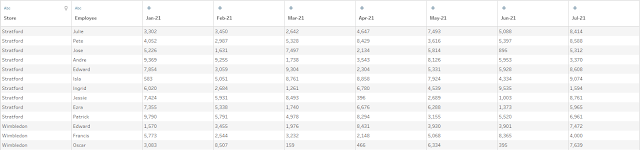
 Challenge By: Jenny Martin As we come to the end of our excel challenges month, it seems only right to think about vlookups and index matches. In Excel, these are great functions for bringing together data from different worksheets without having to manually copy and paste.  Our scenario this week is looking at Employee Sales at Allchains for each month of the year so far and we want to compare this to their Monthly Targets, stored on another sheet. Inputs We have 2 inputs this week: Employee Sales Employee Targets Requirements Input data Calculate the Average Monthly Sales for each employee In the Targets sheet the Store Name needs cleaning up Filter the data so that only employees who are below 90% of their target on average remain For these employees, we also want to know the % of months that they met/exceeded their target Output the data Output 5 fields Store Employee Avg monthly Sales % of months target met Monthly Target 4 rows (5 including headers) After you finish the...


2020: Week 34

Image
Challenge by: Jenny Martin This week is a follow on from last week's challenge . Chin & Beard Suds Co execs were very interested in our profitability analysis and want to see if we can make any suggestions for improvement. The first place to start is challenging the assumption that each Scent sells 100 bars a day on average. Once we calculate the actual average sales of each Scent per week, we'll see if ordering based on this figure improves profitability for C&BS Co.  Input All you'll need for this week's challenge is the solution workflow from last week, which can be downloaded here . Requirements Calculate the Average Units Sold each day for each Scent Round this upwards to the nearest whole number Round this to the nearest 10 Multiply this by 7 Use the Average Units Sold as the new Units Ordered value and calculate the Waste (=Units Ordered - Units Sold) in this new scenario For negative values, this means we need to adjust our weekly sales as we would have ...

2019: Week 34 Solution

Image
You can view our full solution workflow below and download it here ! Our full solution workflow. 1. Prepare the Delivery Schedule data for joining. We need to get two bits of data out of the [Delivery Schedule] field. Due to the consistent format of this field, we used the following two calculations to extract the week number in the month and the weekday: [Week Number in Month] [Weekday] INT(     LEFT( [Delivery Schedule], 1) ) SPLIT( [Delivery Schedule], “ “, 2) For the week number we simply pull out the first character, i.e. the week number, using LEFT() and then convert this straight to a number using the INT() function. For weekday we instead use the SPLIT() function to extract the string of characters between the 2nd and 3rd spaces, i.e. the second word in the string. 2. Get the dateparts from the Date Scaffold data. The first step in preparing the Date Scaffold data is to extract the month, day o...